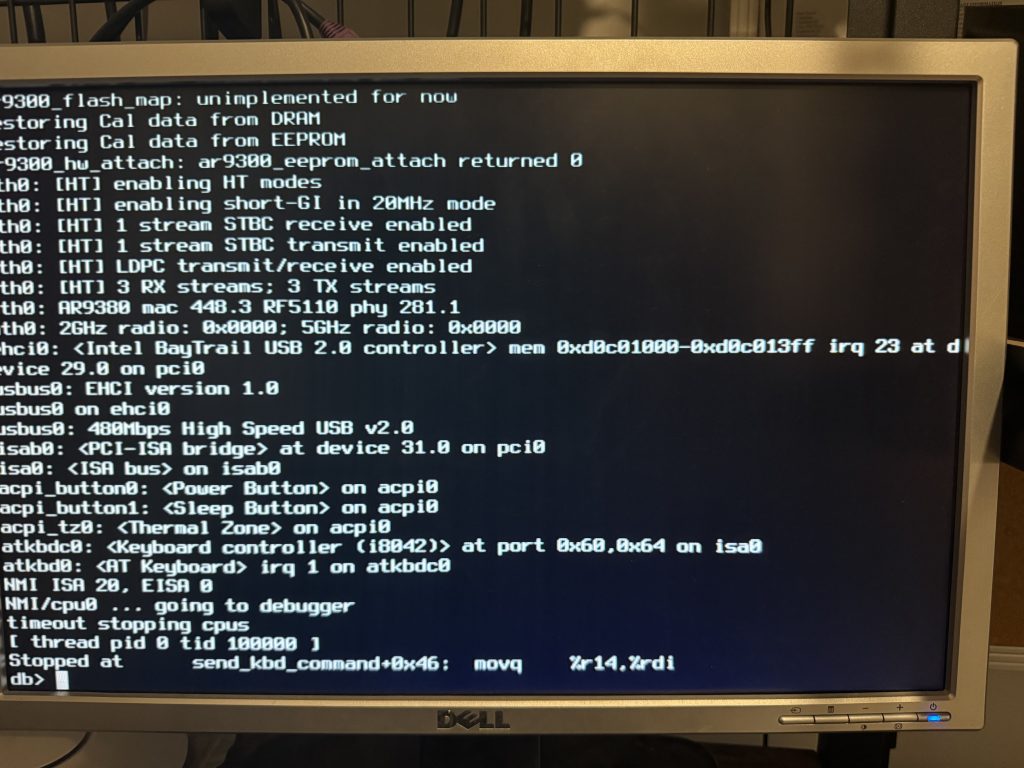
Please note that this issue appeared on a Sophos XG Firewall that I have converted to an OPNsense.
Problem
This is now the second time, I have had this issue arise after an upgrade and reboot. The system goes into a kernel panic and fails to boot, meaning that it never starts the NICs so the only way to access it is through an IPMI (not setup) or by physically connecting a mouse and keyboard.
Looking into the issue more, it looks to be an issue with the underlying OS, FREEBSD, and the Intel chipset. The specific issue is with the keyboard controller. The fix is to get Console access, and run some commands to turn the flags on, which we will cover below.
Resolution
You will first need to plug a keyboard and monitor into the unit so that you can access the console.
- Physically reboot the device
- When the “OPNsense Boot Screen” appears press 3 to exit the menu and enter the console
- Type the following command
set hint.atkbc.0.disabled="1" - Press Enter
- Type the following command
set hint.atkb.0.disabled="1" - Press Enter
- Type the following command
boot - Press Enter
You should now see the OPNsense running through its startup process. Note that if it was updating that it will need to finish the update script before becoming accessible.
Leave a Reply